

Debits and Credits
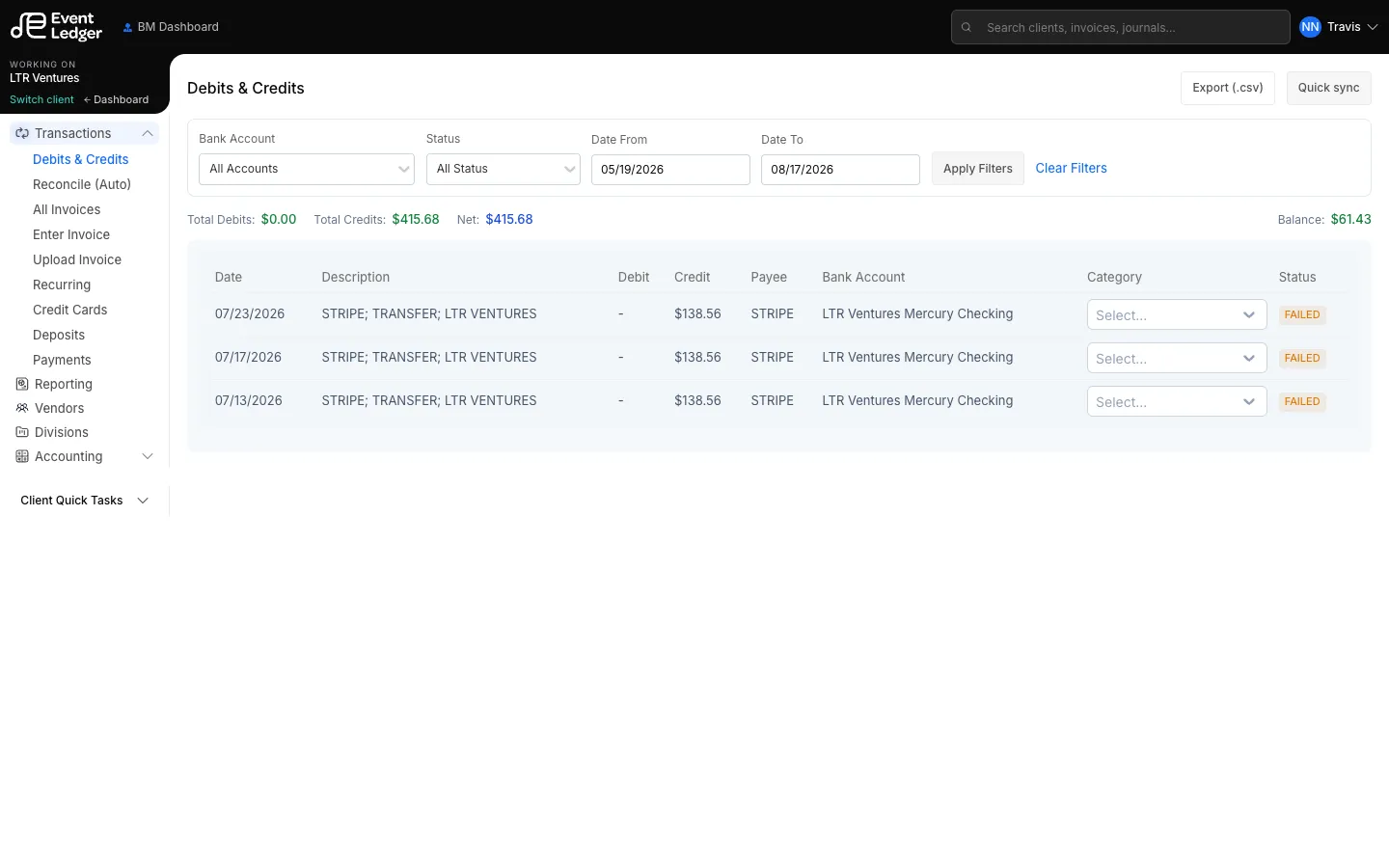
Transactions → Debits & Credits is the live bank activity for the open client.
Open the feed
Section titled “Open the feed”- Switch to the client whose bank you want to inspect.
- In the left nav, open Transactions.
- Choose Debits & Credits.
Filter and totals
Section titled “Filter and totals”You can:
- Filter by Bank Account, Status, and date range, then Apply Filters
- Read Total Debits, Total Credits, Net, and Balance for the current result set

Statuses you will see include All, Pending, Processed, Cancelled, Failed, Reversed, and Blocked.
Sync and export
Section titled “Sync and export”
Quick sync starts an ingest of new Mercury activity. Export (.csv) downloads the current filtered list.
Bank lines
Section titled “Bank lines”Each row is a feed line: date, description, debit or credit, payee, bank account, an optional category, and status.

A line that has been coded links to a Bank Payment or Bank Deposit. Uncoded lines are waiting to be recorded.
Bank accounts themselves are maintained under Manage Banks. Connecting Mercury is a firm/client setup step, not something Manage Banks does by itself.