

Portfolio queues
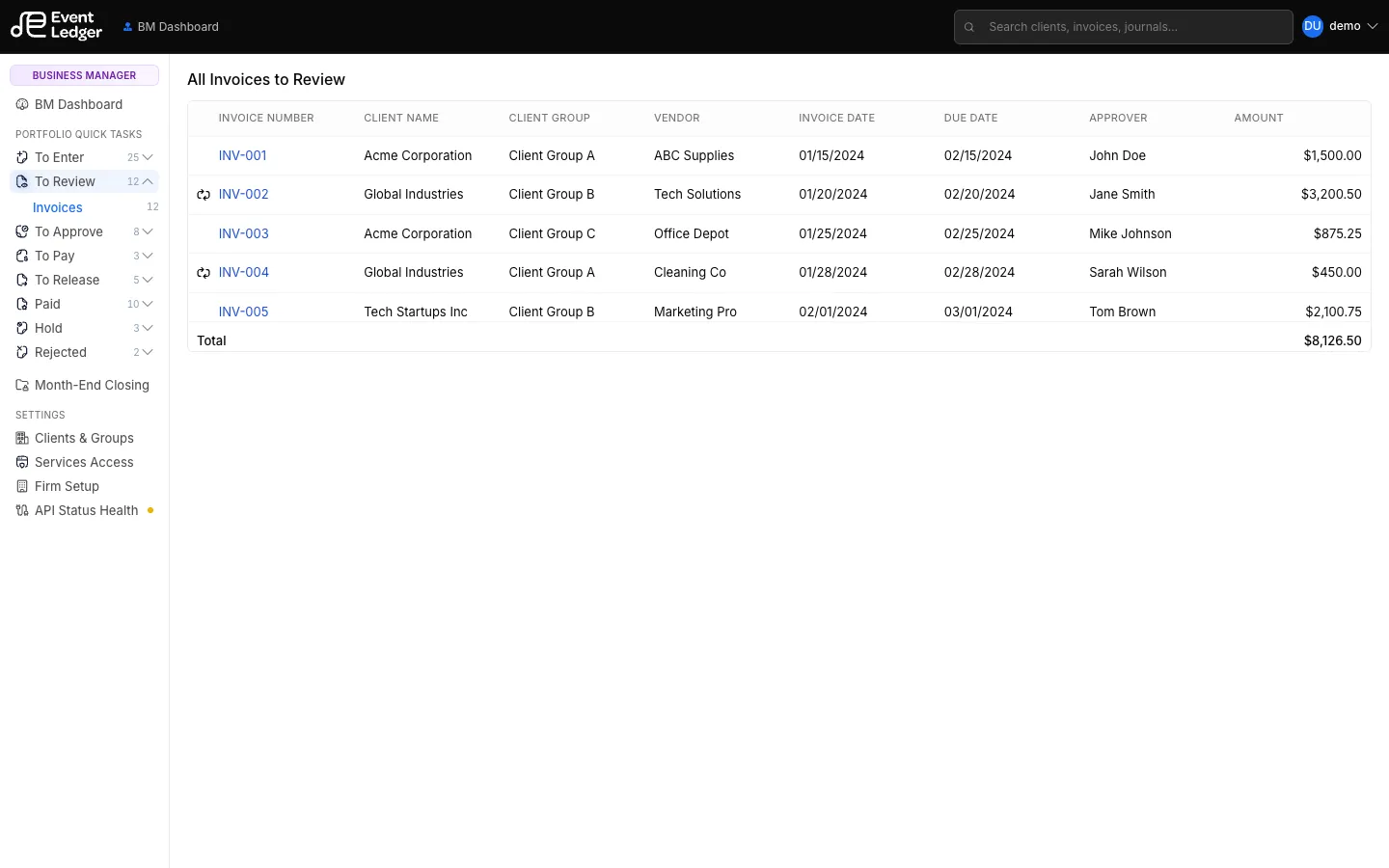
Portfolio Quick Tasks sit on the BM / AM / Bookkeeper rail. They list work across clients instead of inside one artist.
| Queue | What’s in it | Who sees it |
|---|---|---|
| To Enter | Invoices, Deposits, Credit Cards waiting to be coded | BM, AM, Bookkeeper |
| To Review | Invoices | BM, AM |
| To Approve | Invoices, plus Seat addendums for Event Ledger review | BM, AM (invoices); seat addendums are Event Ledger’s review queue |
| To Pay | Invoices | BM |
| To Release | Invoices | BM |
| Paid / Hold / Rejected | Invoices in those statuses | BM, AM, Bookkeeper |
Open a row to enter, view, approve, release, or pay in that client’s context.
To Approve → Seat addendums is not invoice work. Event Ledger uses it to approve or decline billed seat add/remove requests. The header bell only tells you something is waiting; the list is that queue. See Seat addendums.
Inside a client, Client Quick Tasks is a similar tree (including Payments). Prefer the client Transactions menu for day-to-day coding; use portfolio queues when you are clearing a stack for the whole firm.
Badge counts on the rail may not always match the live list — trust the list when they disagree.