

Seat addendums
Adding or removing a teammate is a billed seat change. It is not instant.
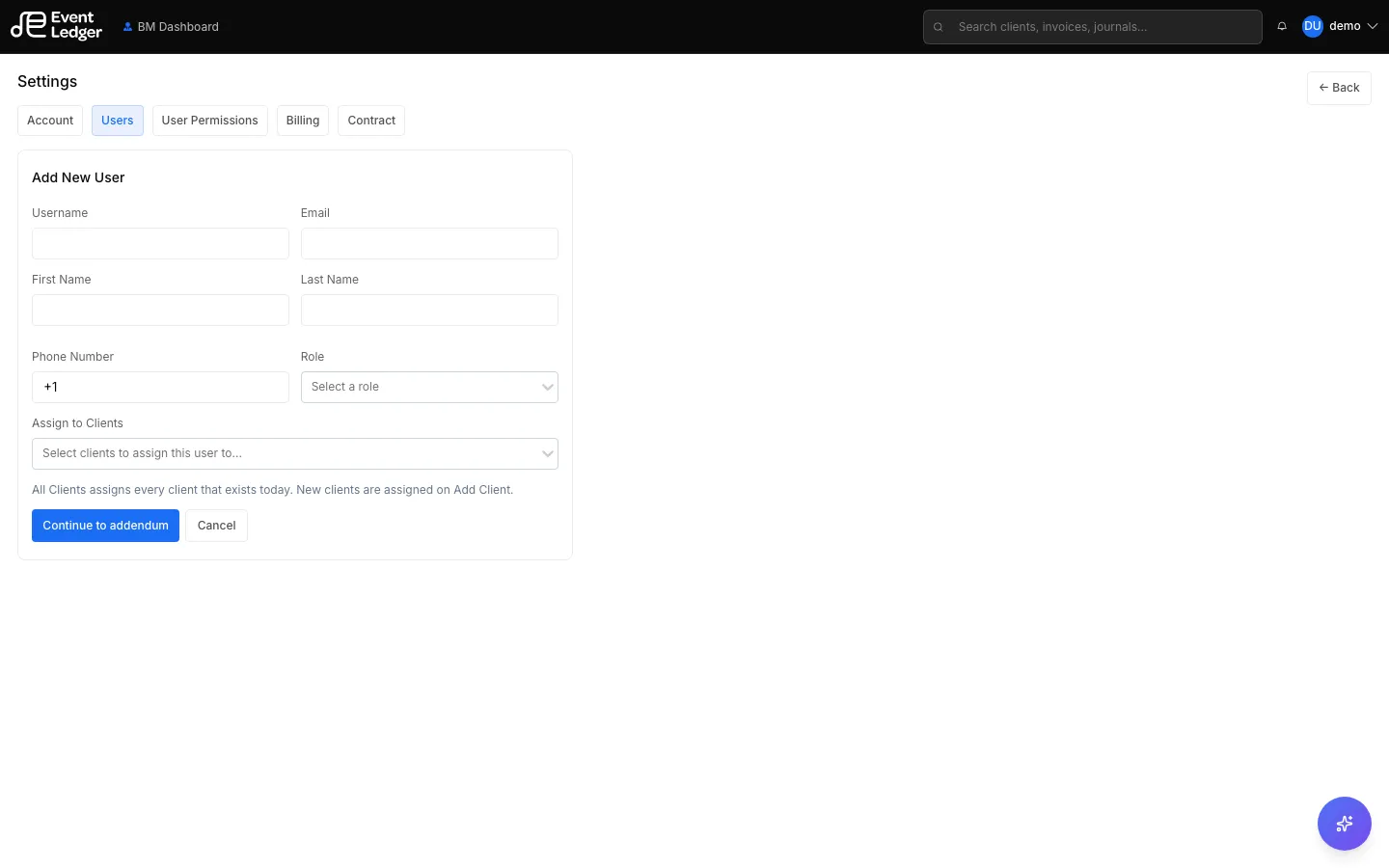
- Open Settings → Users.
- Fill in the new person’s company email, name, and role, or choose Deactivate for an existing teammate.
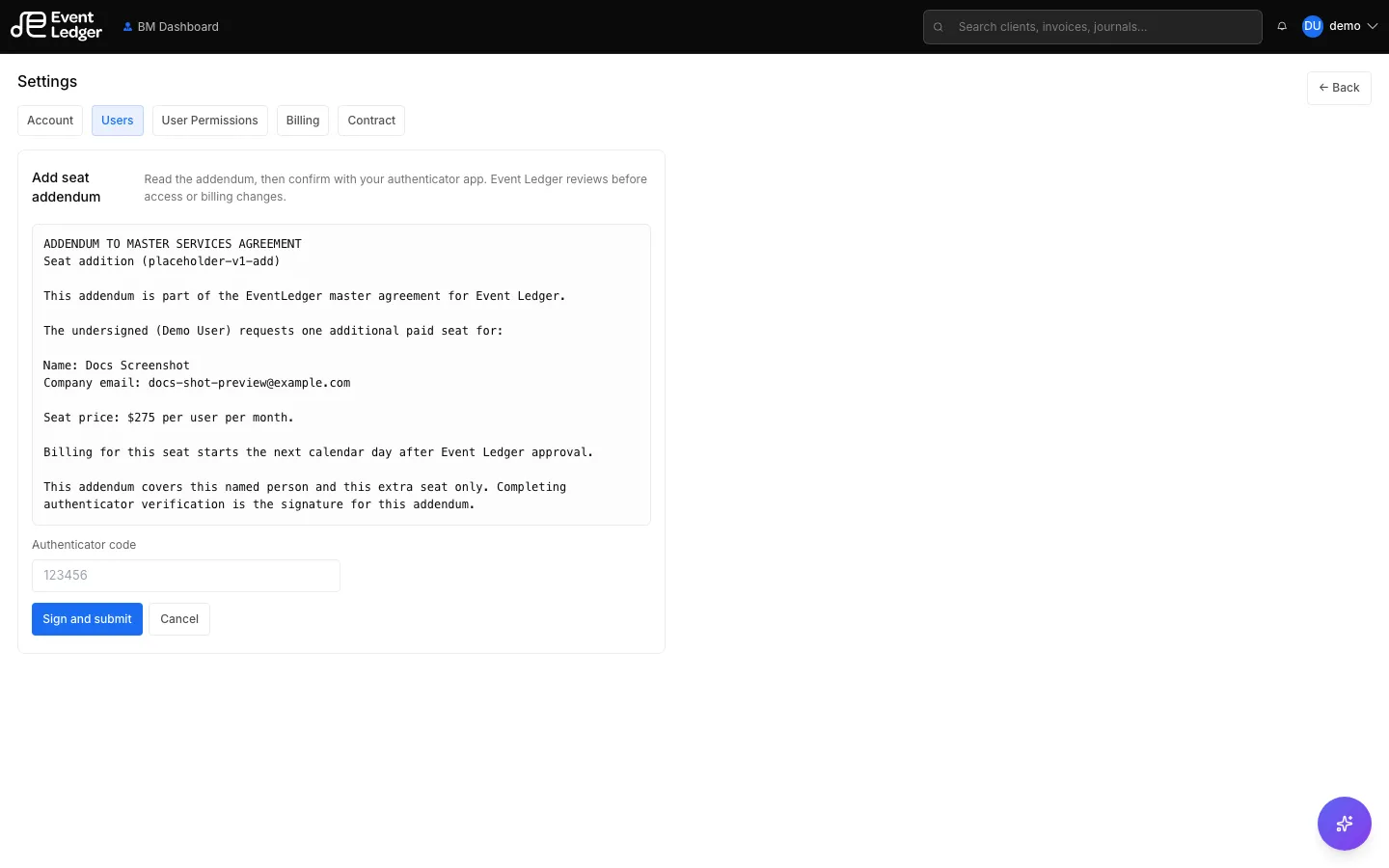
- Read the addendum (it is an addendum to the master contract for that named person and that seat).
- Confirm with your authenticator app. That code is the signature. SMS or email login codes do not count. You must already have Authenticator 2FA on — the wizard will not accept the addendum without it.
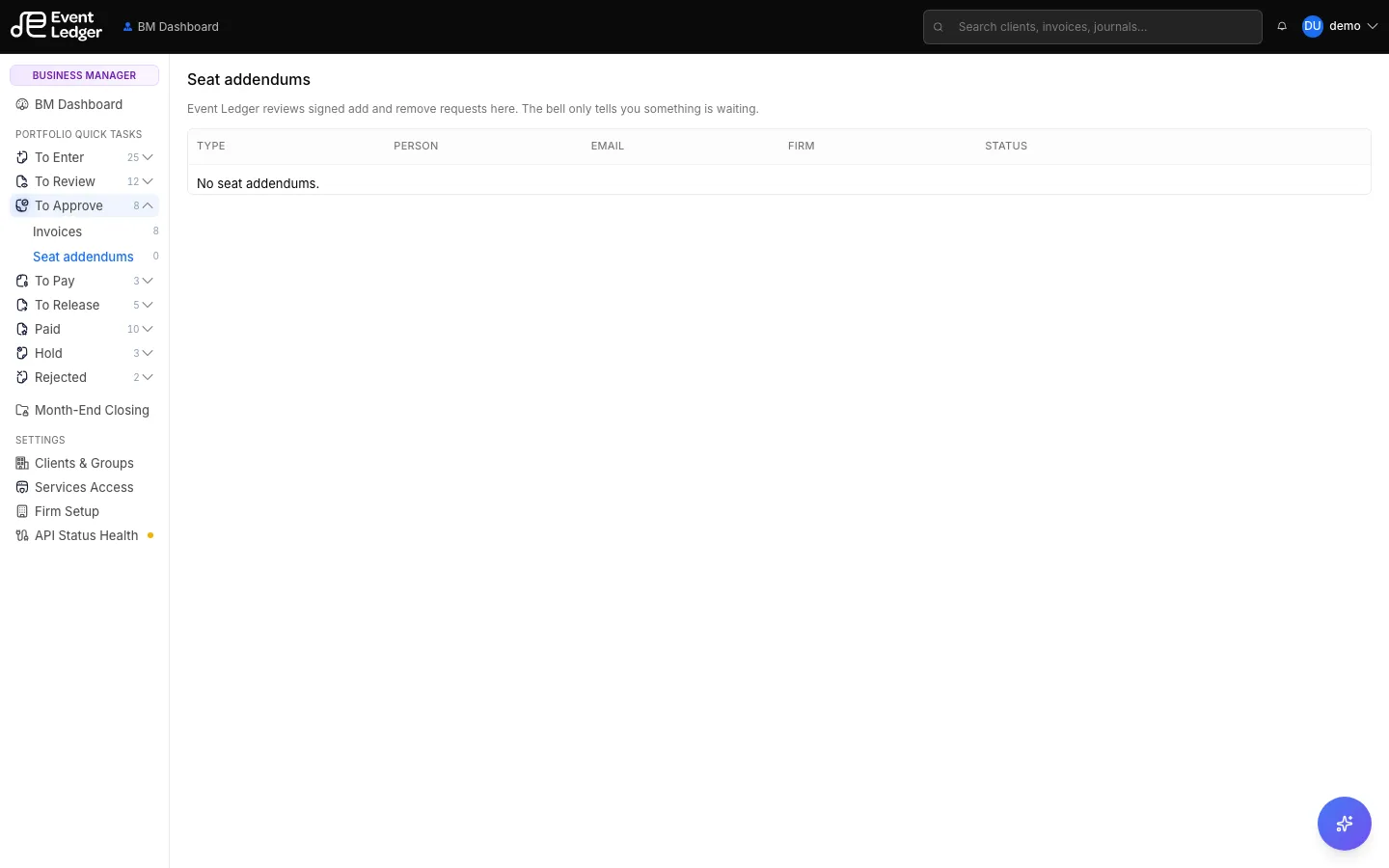
- Event Ledger reviews the signed addendum and the person. The header bell only tells you something is waiting. The review screen is To Approve → Seat addendums.
- After Event Ledger approves an add, the new user gets a set-password email and can sign in. Billing for that seat starts the next calendar day.
- After Event Ledger approves a remove, that person can no longer sign in. Billing for that seat stops the next calendar day.
If Event Ledger declines, you will see the request as declined and get an email with the reason. Nothing is billed and no access changes.
You cannot remove the last owner, and you cannot remove yourself.