

Invoices
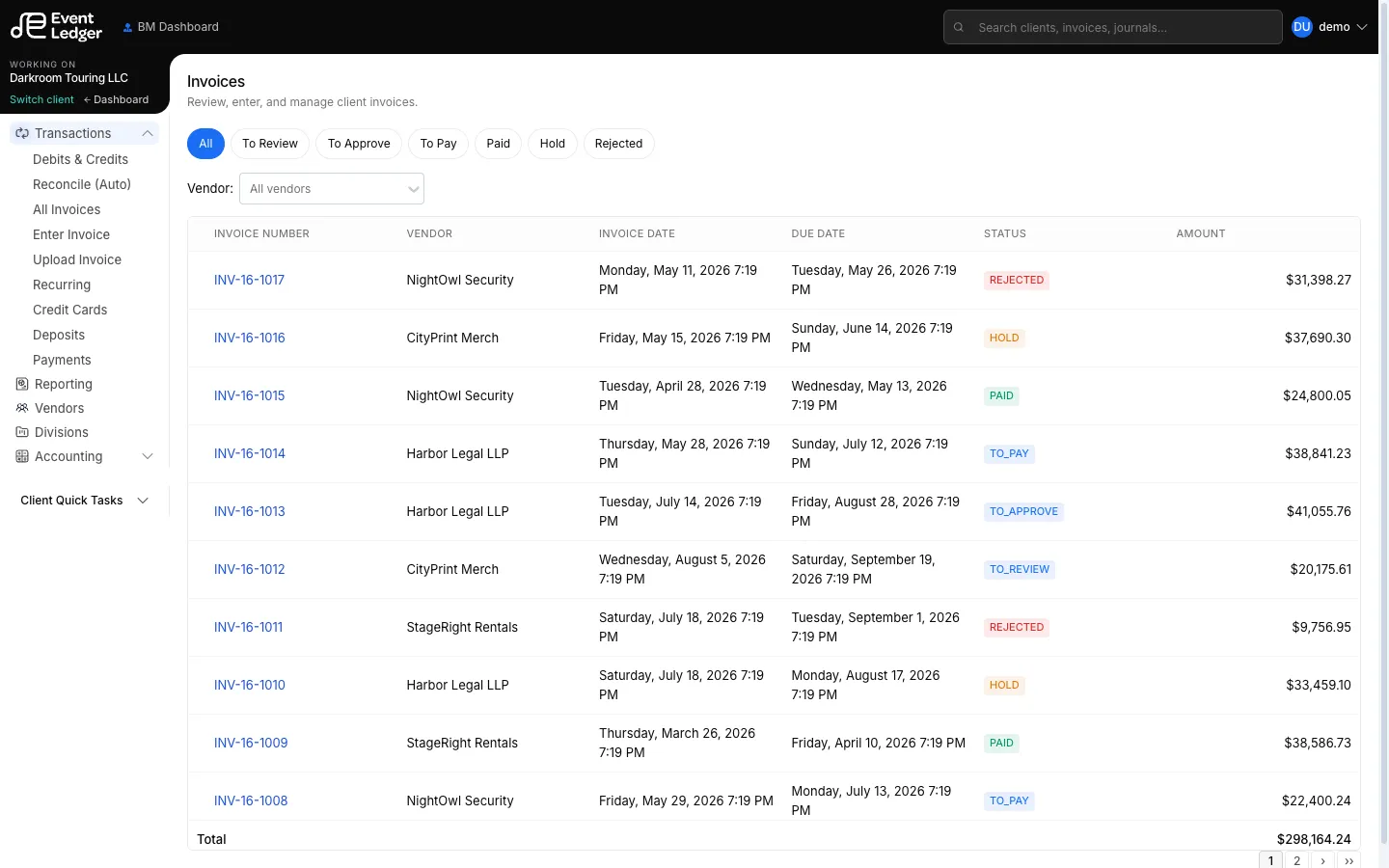
In EventLedger, an invoice is a vendor bill — money the client owes a payee. It is the main AP workflow.
Statuses
Section titled “Statuses”| Status | Meaning |
|---|---|
| To Review | Coded and waiting for a reviewer |
| To Approve | Reviewed; waiting for approval |
| To Pay | Approved; waiting to be marked paid |
| Paid | Closed in the books |
| Hold | Parked; not moving forward |
| Rejected | Sent back / not accepted |
There is also a To Release queue for Business Managers. History on the invoice shows stages such as CREATED, REVIEWED, APPROVED, RELEASED, HOLD, and REJECTED.
Typical path
Section titled “Typical path”- Upload the vendor PDF (live — stored with the client)
- Enter / code vendor, dates, amount, GL lines by hand (the PDF is there to read)
- Review → Approve → Pay (who can click each button depends on role)
Pay updates the invoice. It does not send an ACH, check, or wire. See How money moves and Terms of Service and bank agreements.
Related: Vendors, Recurring invoices, All invoices.